
Auto-Detect Chrome & Power Loss Auto-Recovery
Auto-detects local Chrome profiles and automatically reopens and restores all active sessions after power outages or crashes.
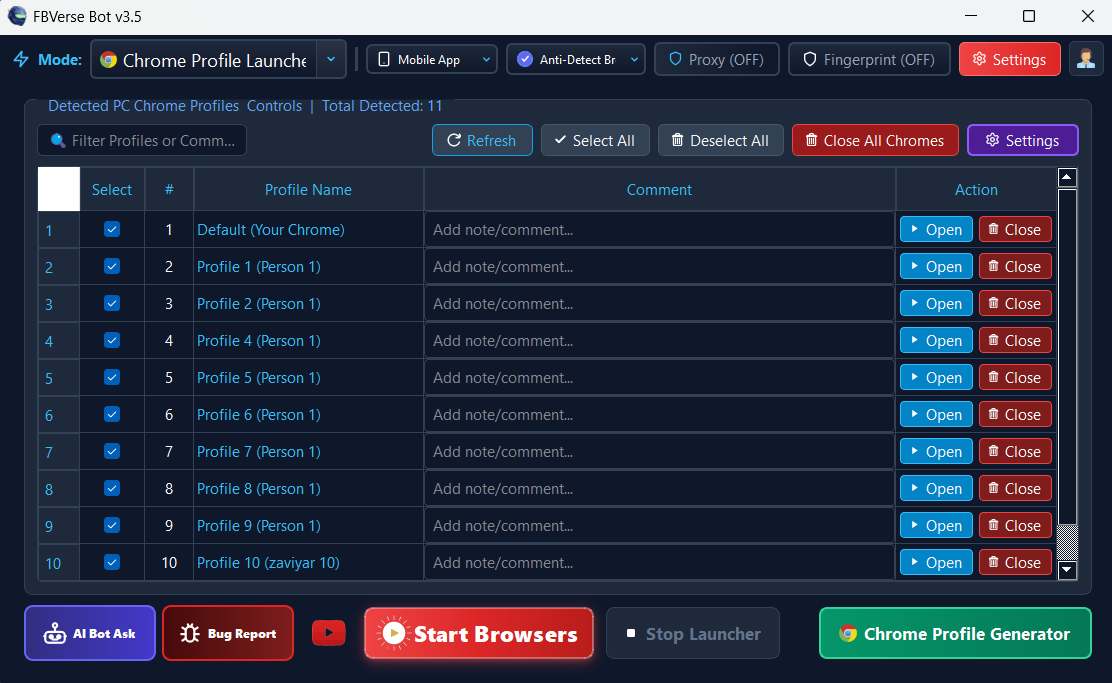
What it does
Unscheduled power outages, system restarts, and connection drops can devastate high-volume listing automation. FBVerse Bot v3.7 solves this with automated Chrome binary discovery and a persistent Crash & Power-Outage Auto-Recovery engine.
The software automatically discovers all Google Chrome installations on your drive and monitors session heartbeats. If a sudden electricity cutoff or Windows crash occurs, the watchdog service automatically restarts your profiles and resumes queued automation tasks without requiring manual setup.
How it works
Enable detection and recovery
Turn on Auto Chrome Detection & Recovery in settings - your Chrome installs are indexed automatically.
Run your queues normally
Publishing, relisting, and reply queues all journal their state as they work.
Restart and resume
After a crash or power cut, FBVerse relaunches profiles and resumes queues where they paused.
Key capabilities
- Detection Logic: Automated Registry & Local AppData Chrome Discovery
- Power Cutoff Recovery: Automatic Session State Journaling & State Restoration
- Watchdog Heartbeat: Background Process Monitor with Auto-Relaunch
- Manual Effort: Zero Manual Relaunching Required Post-Restart
- Chrome Versions: Supports Chrome v90 through Latest Chrome v128+
- Queue Persistence: Unfinished Listing Queues Resume Exactly Where Paused
Results depend on account age, setup quality, proxies, and how the tool is used day to day.
Tips for best results
Enable Windows auto-start so recovery works even when nobody is at the machine.
Test the recovery once with a manual restart before trusting it with a big overnight queue.
Keep Chrome updated within the supported range for the cleanest restores.
Check the recovery log after any outage to confirm every session came back.
Common questions
What happens exactly after a power cut?
On reboot, FBVerse starts with Windows, restores the profiles that were active, and resumes the unfinished queues from their last checkpoint - no manual relaunching.
Which Chrome versions are supported?
Chrome v90 through current releases, discovered automatically on your drives.
Does recovery lose any postings?
Queue state is journaled continuously, so work resumes at the item it paused on rather than restarting or duplicating finished items.
Related features
Try Auto-Detect Chrome & Power Loss Auto-Recovery today
The free 24-hour trial includes every feature. No card required.