
Centralized Account & Browser Manager
Command center to orchestrate hundreds of Facebook seller accounts, proxies, listing queues, and active browser windows in one unified dashboard.
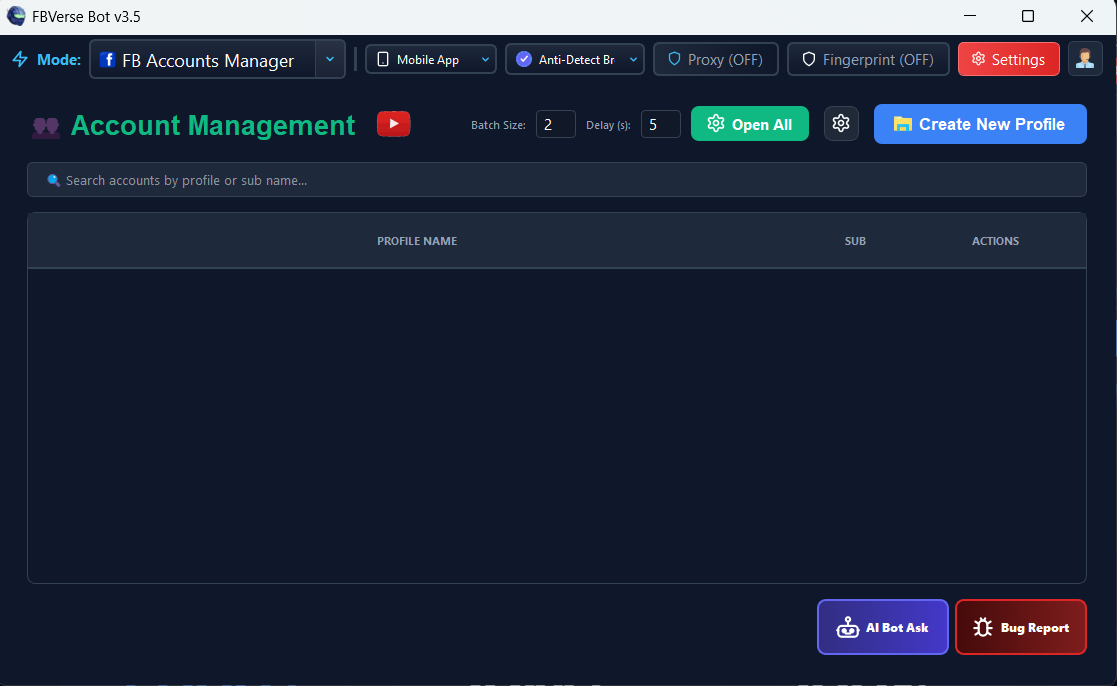
What it does
Managing multiple Facebook Marketplace accounts with separate logins, passwords, and proxy extensions is chaotic and prone to costly mistakes. FBVerse Bot v3.7 provides a centralized Command Center that puts your entire seller roster at your fingertips.
From a single unified window, view account health status, connected proxy endpoints, current listing queues, unread Messenger alerts, and active browser sessions. Launch, restart, or terminate accounts with one click, or trigger simultaneous operations across your entire team.
How it works
Open the account table
Every account with status, proxy, alerts, and quick actions in one grid.
Launch with one click
Any account's isolated session opens straight from its row.
Watch the whole fleet
Active tasks, unread messages, and health indicators update live.
Key capabilities
- Account Grid: Multi-Account Status Table with Real-Time Health Indicators
- Window Arranger: Tile Windows, Cascade, Dual-Monitor Auto-Grid Placement
- Proxy Mapping: Visual Proxy Latency & IP Geolocation Mapping
- Quick Actions: Launch, Copy ID, Edit Profile, More Options, Remove Account
- Filter & Search: Search by Account Name, User ID, Proxy IP, or Niche Tag
- Backup & Restore: One-Click Full Database Backup & Profile Export
Results depend on account age, setup quality, proxies, and how the tool is used day to day.
Tips for best results
Tag accounts by niche or city so filters answer real questions.
Check the health column daily - a yellow flag today is a disabled account next week.
Use the window arranger when supervising several sessions on one screen.
Back up the database weekly; the whole roster is one file.
Common questions
How many accounts can the manager handle?
The grid is built for agency-scale rosters - hundreds of accounts stay searchable and sortable, with filters by name, ID, proxy, or tag.
Can I see which accounts have unread messages?
Yes - Messenger alerts surface per account so no buyer waits unnoticed.
What do the quick actions cover?
Launch, restart, terminate, copy ID, edit profile, and per-account options - plus batch operations across the selection.
Related features
Try Centralized Account & Browser Manager today
The free 24-hour trial includes every feature. No card required.